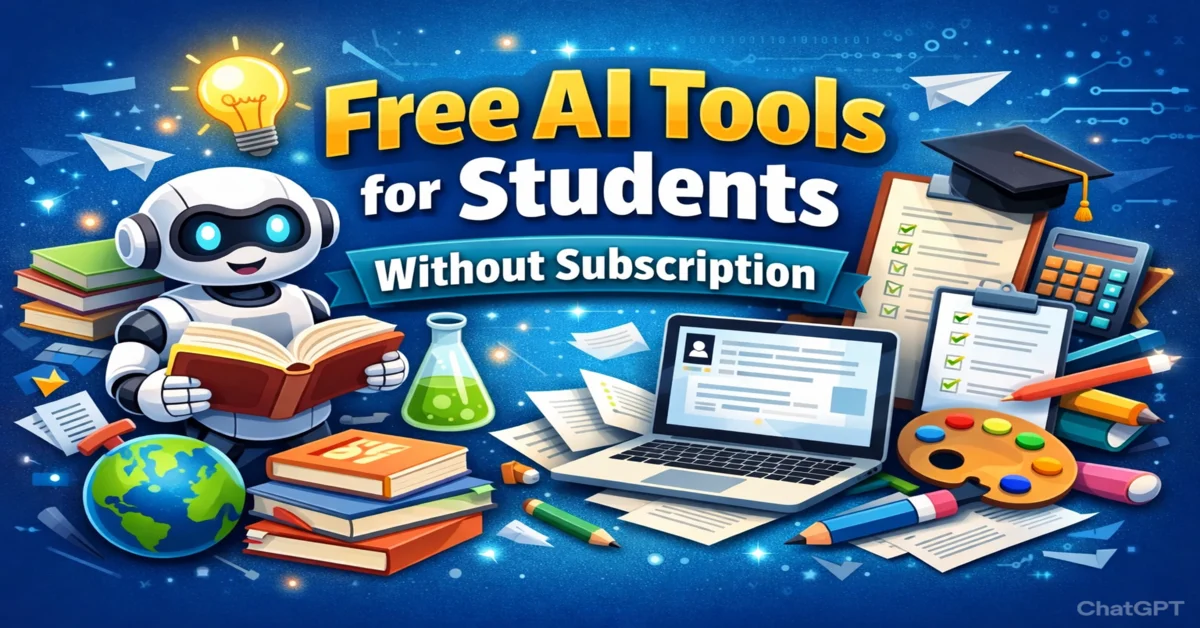
The rise of artificial intelligence has transformed education, giving students access to powerful tools that enhance learning, productivity, and creativity. Today, students can leverage free AI tools for students without subscription to streamline their studies, tackle complex assignments, and explore innovative ways of learning—all without the burden of costly subscriptions. These AI solutions are designed to make learning easier, faster, and more enjoyable.
From AI-powered homework help to study note generators and automated essay planners, these tools cater to every aspect of student life. By understanding how to use them effectively, learners can gain a competitive edge and maximize their potential.
RELATED: How AI and Machine Learning Are Revolutionising Perimeter Security
What Are Free AI Tools for Students?
Free AI tools for students are software applications powered by artificial intelligence that help learners complete academic tasks more efficiently. These tools range from writing assistants and research aids to productivity platforms and visual design applications. The most exciting feature? Many of these tools do not require subscriptions or account sign-ups, making them highly accessible to students worldwide.
AI tools utilize natural language processing, machine learning assistants, and text generation tools to provide real-time feedback, summarize documents, and even solve math problems. With these tools, students gain access to advanced study assistants that mimic the support of a personal tutor at zero cost.
Why They’re Important for Modern Learning
Modern education demands more than just memorization; it requires critical thinking, creativity, and adaptability. AI learning tools without subscription empower students to engage with learning materials interactively, generate ideas quickly, and gain a deeper understanding of complex topics.
Moreover, the integration of AI in education aligns with educational technology tools trends, equipping students with skills essential for future careers. These free tools also democratize education by providing high-quality learning resources to all students, regardless of their financial background.
Benefits of Using Free AI Tools for Students Without Subscription
Saving Time on Homework and Research
Time is a precious resource for students. AI tools for homework help (free) such as Socratic by Google and Wolfram Alpha allow students to solve problems, research topics, and organize information efficiently. Rather than spending hours sifting through textbooks and online sources, AI tools can summarize content, provide relevant examples, and even generate citations automatically.
By reducing repetitive tasks, students can focus on understanding the material rather than struggling with data collection, making learning more productive and stress-free.
Enhancing Learning and Understanding
AI-powered tools are designed to enhance comprehension. Tools like ChatGPT and Semantic Scholar provide explanations, examples, and simplified breakdowns of complex concepts. This supports different learning styles, whether visual, auditory, or textual, and ensures that students grasp subjects thoroughly.
With AI assistance, students can engage in interactive learning, ask questions, and receive instant clarifications, mimicking the benefits of having a personal tutor available 24/7.
Boosting Creativity and Productivity
Creativity is at the heart of learning. AI visual design tools such as Canva (Magic Write + AI design tools) and Tome AI allow students to create engaging presentations, infographics, and project visuals. Productivity tools like Notion AI and Trello help organize tasks, track assignments, and optimize study routines.
By integrating AI into their workflow, students can manage projects efficiently while exploring innovative ways to present ideas, boosting both creativity and academic performance.
Accessible Learning for Everyone
One of the most compelling benefits of non-subscription AI tools for students is accessibility. Free tools eliminate financial barriers, allowing learners worldwide to benefit from AI-assisted education. From text summarization to math problem-solving, these tools provide equitable access to knowledge, fostering inclusive learning environments.
Top 5 Free AI Tools for Students Without Subscription
1. ChatGPT (Free Tier)
Key Features
- Real-time Q&A and explanations
- Text generation for essays, summaries, and reports
- Personalized study assistance
- No subscription required for basic access
How Students Can Use It Effectively
Students can use ChatGPT to clarify doubts, generate ideas for essays, summarize readings, or practice exam questions. Its interactive interface allows learners to explore multiple perspectives and deepen their understanding of topics.
Pros and Cons
Pros: Highly versatile, accessible, supports multiple subjects, interactive
Cons: Free tier has usage limits, requires careful verification of generated information
2. Socratic by Google
Key Features
- AI-powered homework solver
- Step-by-step explanations for math, science, and history
- Instant access via mobile app
- No account or subscription required
Benefits for Students
Socratic by Google makes complex problems manageable by breaking them down into easy-to-understand steps. Its AI-driven approach enhances conceptual understanding and improves problem-solving skills.
Pros and Cons
Pros: Mobile-friendly, visual explanations, free access
Cons: Limited to certain subjects, dependent on internet connectivity
3. QuillBot (Free Version)
Key Features
- AI paraphrasing and summarization
- Grammar and style suggestions
- Citation and reference generation
- Free version supports essential writing tasks
How It Improves Writing and Research
QuillBot helps students refine their essays, generate unique content, and enhance readability. Its AI-driven suggestions ensure academic integrity while improving writing quality.
Pros and Cons
Pros: Enhances writing clarity, reduces plagiarism risk, and provides free access to basic features
Cons: Advanced features require a subscription, and paraphrasing may need manual adjustments
4. Canva (Free Plan with AI Tools)
Key Features
- AI-assisted graphic design and presentation builder
- Templates for reports, slides, and posters
- Magic Write AI for content generation
- Free access for students
Use Cases for Projects and Presentations
Students can use Canva to create visually appealing assignments, project reports, and presentation slides. AI features streamline content creation and improve design quality, making projects more engaging.
Pros and Cons
Pros: User-friendly, visually rich, free access to core AI features
Cons: Limited premium templates and advanced features in the free version
5. Duck.ai (or Similar AI Chat Tool)
Key Features
- AI conversational tool for research and study
- Provides quick answers and learning guidance
- Free and no-signup required
- Supports multiple subjects
How It Supports Learning
Duck.ai serves as an interactive study companion. Students can ask questions, clarify concepts, and receive instant insights, helping streamline learning without subscriptions.
Pros and Cons
Pros: Fast, intuitive, no account required
Cons: Limited to general knowledge, may require verification for academic tasks
Other Notable Free AI Tools for Students Without a Subscription
- Grammarly (Free) – AI-powered grammar, spelling, and style checker
- Wolfram Alpha (Basic Free Tier) – STEM problem solver and computation engine
- Quizlet AI Mode (Free Features) – Flashcard and quiz generator
- Otter.ai (Free Transcription Features) – Lecture and audio transcription tool
These tools complement the top five by supporting specialized tasks like writing, studying, or transcription, enhancing overall productivity.
How to Maximize the Benefits of Free AI Tools in Your Studies
Combining Multiple Tools for Homework and Research
The smartest workflows combine tools: use a research engine (Semantic Scholar) to find sources, ChatGPT or Duck.ai to brainstorm outlines, QuillBot to paraphrase, and Grammarly to polish. Combining strengths reduces errors and raises quality quickly.
Build a repeatable system: research → outline → draft → revise → finalize. Use each tool where it shines rather than expecting one tool to do everything.
Organizing Study Notes and Summaries
Use Otter.ai for transcriptions, ChatPDF for readings, and Notion for organizing study pages. Auto-summarizers reduce long texts to essentials; then add your own examples to build memory.
Create a single “study hub” with tagged notes, flashcards (Quizlet), and practice questions so revision becomes efficient and repeatable.
Using AI Responsibly and Ethically
AI is a tutor, not a cheat code. Use tools to clarify concepts, generate practice questions, and improve drafts—but always cite sources properly, and do original analysis for graded work. Use plagiarism checks and follow your institution’s AI policies.
Consider AI as a thinking partner: it speeds processes but doesn’t replace learning. Keep faculty and honor codes in mind.
Avoiding Over-Reliance on AI
Build core skills by using AI to practice, not to outsource thinking. For math and science, always work through at least one solution manually. For writing, use AI to get feedback and then rewrite in your own voice.
Safety, Privacy, and Limitations of Free AI Tools
Data Privacy Concerns
Free tools vary in how they store or use your data. Avoid sharing sensitive personal information in prompts, and read privacy policies for any tool you use. Prefer tools that state clear deletion or non-retention policies if privacy is a priority.
For recorded lectures, check whether transcription services store audio on servers and who can access them. When in doubt, keep sensitive content offline.
Accuracy and Verification
AI can confidently provide incorrect information (hallucinations). Verify facts—especially citations, dates, and scientific claims—using primary sources like textbooks, peer-reviewed papers, or reputable websites.
Avoiding Plagiarism
When AI helps draft text, ensure you rewrite and add original analysis. Use citation tools and follow institutional guidelines. Passing AI-generated text as entirely your own work can breach academic integrity. Cite sources and use AI to enhance clarity or understanding rather than replace original thought.
Managing Account-Free Tools Effectively
Account-free tools are convenient but may lack history or cloud backups. Save important outputs to your own drive, and build a personal archive (Notion, Google Drive) so your study materials are secure and accessible. For collaborative projects, prefer tools that support safe sharing and version control.
RELATED: The Creative Shift: How AI Design and AI Generated Video Are Changing Digital Storytelling
Frequently Asked Questions (FAQs)
Which AI is fully free for students?
While many AI platforms offer paid tiers, Microsoft Copilot and ChatGPT (GPT-4o mini) are currently some of the most accessible “fully free” options for students. They provide advanced reasoning, image generation, and research capabilities without requiring a premium subscription, making them ideal for tight student budgets.
Is there a free AI app with no subscription?
Yes, several apps offer robust features without a recurring monthly fee. Apps like Perplexity AI (for research) and Lumiere (by Google) provide powerful AI assistance on mobile and desktop. Most of these apps operate on a “freemium” model, where the core features students need are available for free forever.
Which AI tools are totally free?
Tools like Google Gemini (Standard), Hugging Face Chat, and certain open-source models like Llama 3 (available via various free providers) are totally free to use. These platforms are excellent for coding, creative writing, and data analysis without any hidden paywalls for basic usage.
Is there a free AI study tool?
Absolutely! Quizlet has introduced AI-powered study sets, and Conker.ai is a fantastic free tool for students to create practice quizzes automatically. Additionally, Grammarly’s free version remains a top AI study companion for improving essays and assignments.
Summary
Free AI tools for students without a subscription are powerful, accessible, and practical. From conversational help with ChatGPT to stepwise homework support via Socratic by Google, and writing polish from QuillBot and Grammarly, each tool fills a real need. Design and presentation tasks shine in Canva, while lighter AI chat tools like Duck.ai are great for quick clarifications.
Take action: pick two complementary tools—one for writing and one for study organization—and build a simple workflow. Verify outputs, respect academic integrity, and use AI to practice and improve. With the right habits, free AI tools can transform the way you study: faster, smarter, and more creative.